
The ThinPrint Client for HP printers can be installed on all HP printers that have FutureSmart firmware.
Depending on underlying operating system your HP printer is utilizing you need to choose between of the following ThinPrint Client for HP Printers which can be downloaded via https://www.thinprint.com:
- Client for HP Printers on WinCE (for Windows based operating systems)
- Client for HP Printers on Linux (for Linux based operating systems)
To determine which operating system your respective HP printer is utilizing you can...
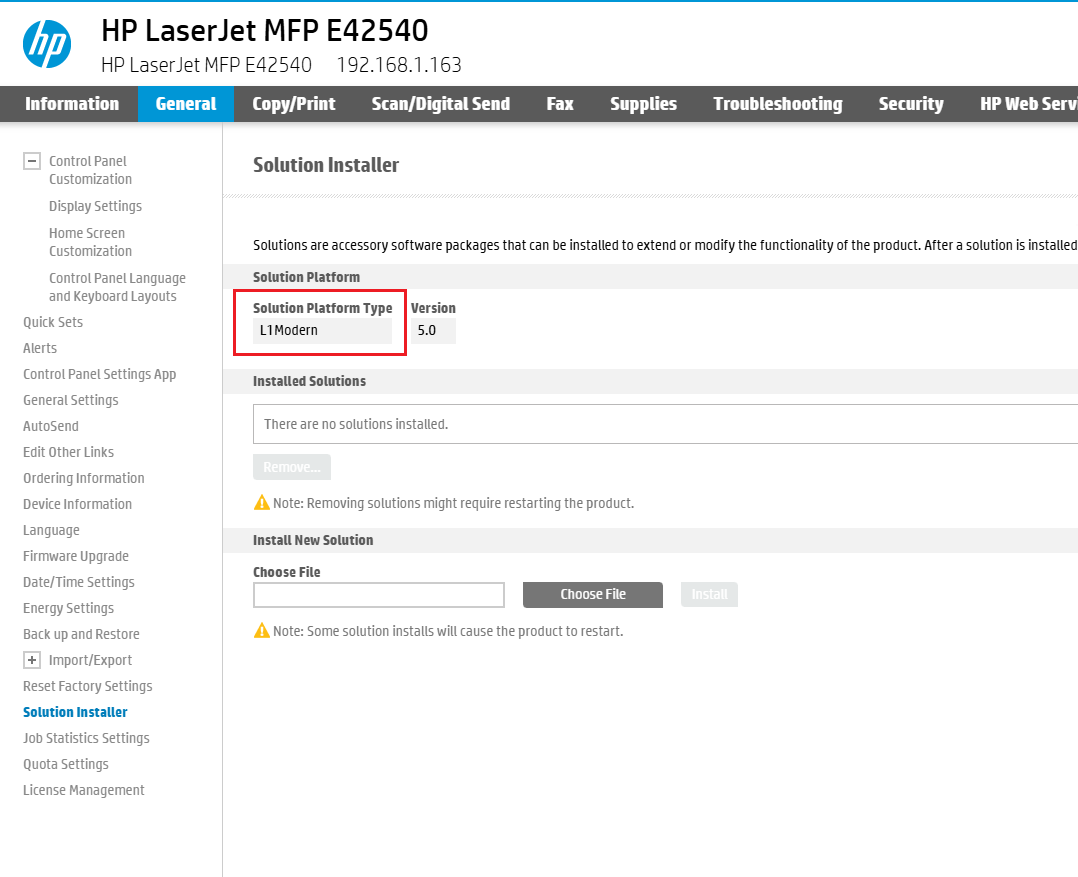
- check the Solution Platform Type on the printer's web interface (via General -> Solution Installer)
- send the following API call to the respective printer:
http[s]://[DEVICE-ADDRESS]/hp/device/hp.Level1SolutionPlatform
If the shown Solution Platform type is L1Classic you would have to utilize the Client for HP Printers on WinCE.
If the shown Solution Platform type is L1Modern you would have to utilize the Client for HP Printers on Linux.
This applies to models from the Enterprise series and to MFP (multifunction printers).
Examples:
- HP Officejet Enterprise Color X555
- HP Color LaserJet CM4540 MFP
A list of FutureSmart printers can be found on: www.thinprint.com
Scenarios for the application of ThinPrint Client can be found in the documentation for: